
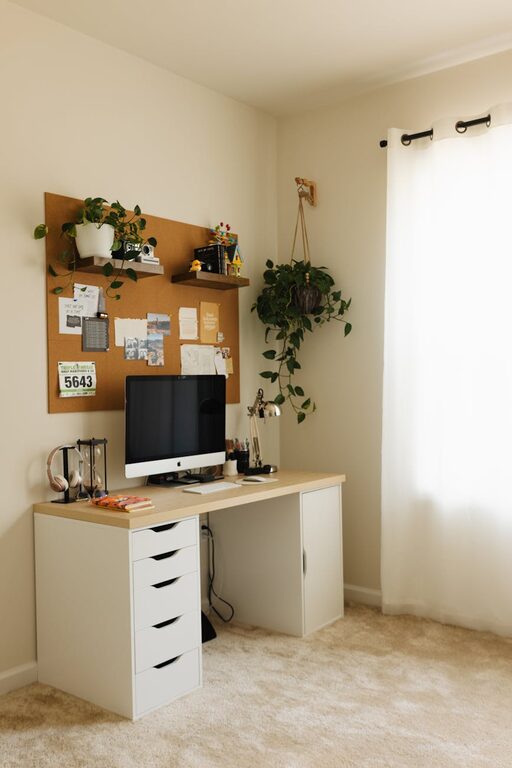
Creating a home office that’s both cozy and productive can make a big difference in how you work and feel throughout the day. Whether you’re working remotely full-time or just occasionally, setting up the right environment helps maintain focus, reduce stress, and boost efficiency. Here are some practical tips to help you design a workspace that feels inviting and supports your daily tasks.
Choose the Right Location
Prioritize Natural Light
Whenever possible, select a space with plenty of natural light. Sunlight helps regulate your body clock and improves mood, making it easier to stay alert and motivated. Position your desk near a window, but avoid glare on your computer screen by using adjustable curtains or blinds.
Consider Privacy and Noise Levels
Pick a spot that’s relatively quiet and free from distractions. If your home tends to be noisy, consider noise-cancelling headphones or soft background music to improve concentration.
Invest in Comfortable and Functional Furniture
Ergonomic Chair and Desk
Comfort is key for long working hours. Choose an ergonomic chair that supports your posture and a desk at the right height to avoid strain. Adjustable furniture can offer flexibility as your needs change.
Optimize Desk Space
Keep your desk organized and uncluttered. Use desk organizers or shelves to store supplies and papers neatly, so your work area remains clear and conducive to focus.
Personalize Your Workspace
Add Cozy Touches
Incorporate soft textures like a plush chair cushion, a warm throw blanket, or a small rug. These elements add warmth and comfort, making your workspace inviting.
Bring in Greenery
Plants can brighten your office and improve air quality. Choose low-maintenance options like succulent plants, snake plants, or pothos. Place them within sight but not cluttering your desk.
Enhance Lighting
Use Layered Lighting
Along with natural light, use a combination of overhead lights, task lamps, and ambient lighting. A desk lamp with adjustable brightness helps reduce eye strain and keeps you focused during evening hours.
Choose the Right Bulbs
Opt for bulbs with a neutral white light, which mimics natural daylight and helps you stay alert, rather than warm yellow tones which signal relaxation.
Organize Efficiently
Use Storage Solutions
Utilize shelves, filing cabinets, or storage bins to keep documents and supplies handy but out of the way. Label containers to find what you need quickly without creating clutter.
Implement Cable Management
Tidy up cables using clips, sleeves, or under-desk trays to minimize distractions and create a sleek, orderly environment.
Set Boundaries to Separate Work and Personal Life
Define Your Workspace
Even in a shared room, try to clearly define your workspace using room dividers, furniture arrangement, or different decor styles. This helps your brain switch into work mode.
Set Work Hours
Establish regular working hours and communicate them with others in your household, so you can focus without interruptions.
Incorporate Productivity Tools
Use a Planner or Digital Calendar
Keep track of your tasks and deadlines with a planner or calendar app to structure your day effectively.
Minimize Distractions
Turn off non-essential notifications and consider apps or browser extensions that block distracting websites during work hours.
Maintain Your Space
Daily Tidy Routine
Spend a few minutes at the end of each day clearing your desk and organizing supplies. A clean space makes starting fresh easier each morning.
Regularly Refresh Decor
Switch out artwork, accessories, or plants to keep the environment feeling fresh and inspiring.
—
Creating a cozy and productive home office doesn’t require a big budget or major renovations. By focusing on comfort, organization, and personalization, you’ll build a space that supports your work and wellbeing. Remember, small changes can have a big impact, so start with what feels most important to you and adjust as you go. Happy decorating and working!